
Start here
Welcome to Fold
Unfold. Roll on. Know Sooner.
A simpler way to keep track of your weight from your wheelchair, at home and in your own routine.
Meet Fold: How It Works
40 seconds · Unboxing to first reading
See how one of our supporters, Kelly, and his family unboxed their Fold and set it up.
Ready to take your first reading?
Get started
Your first reading takes just a few steps.
No tools needed. Fold works right out of the box — just unfold and go.
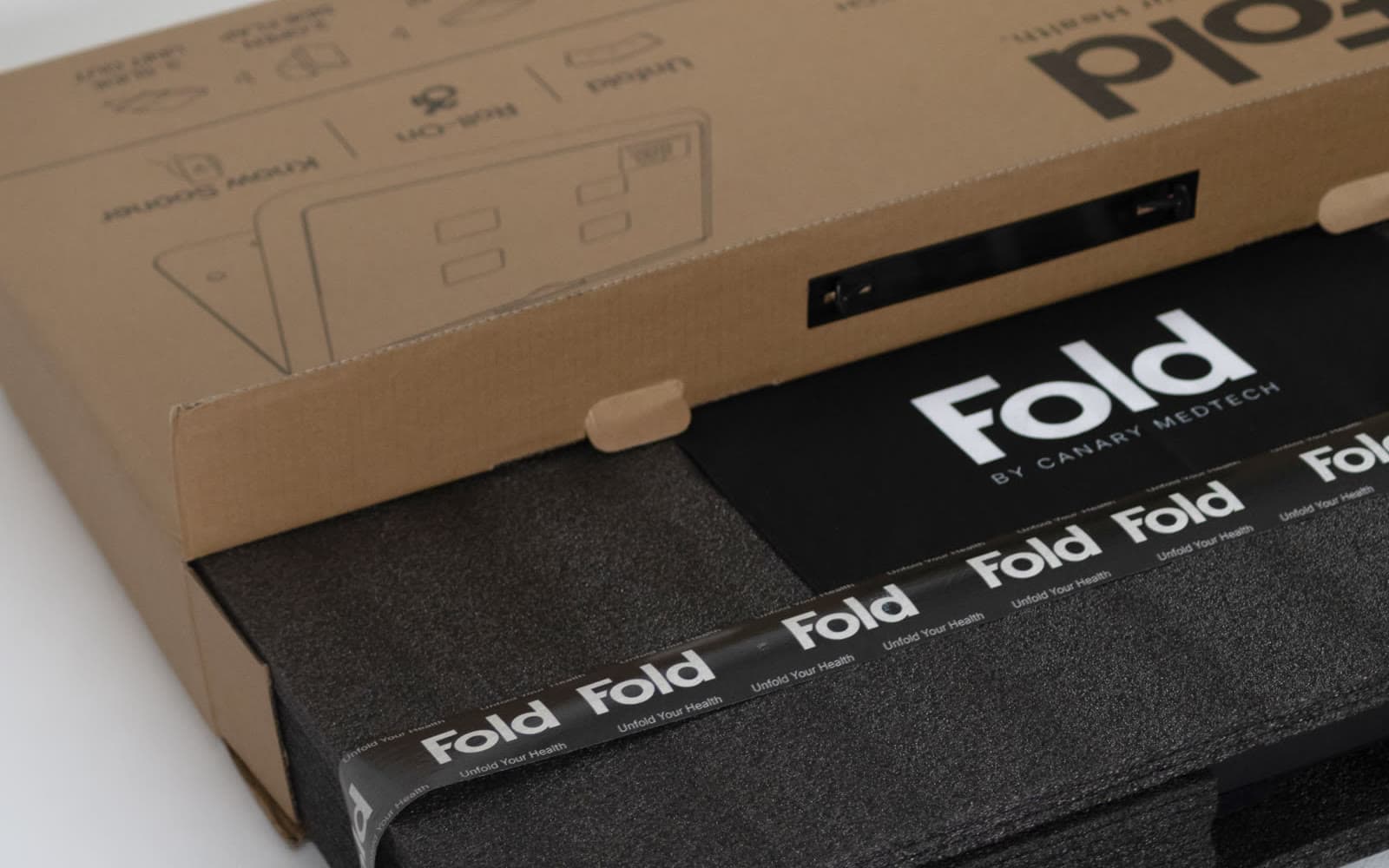
Unbox your unit
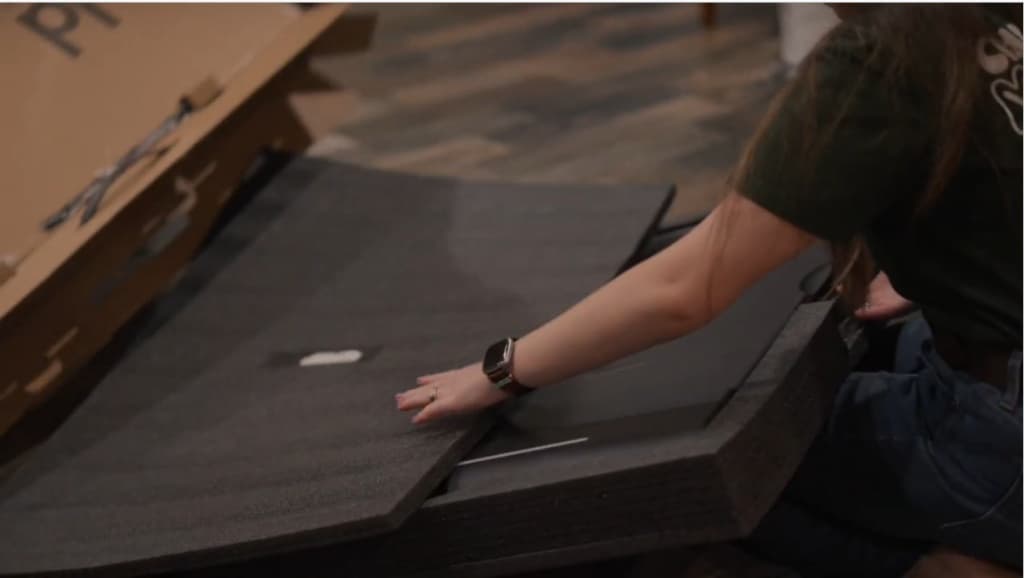
Unfold it completely
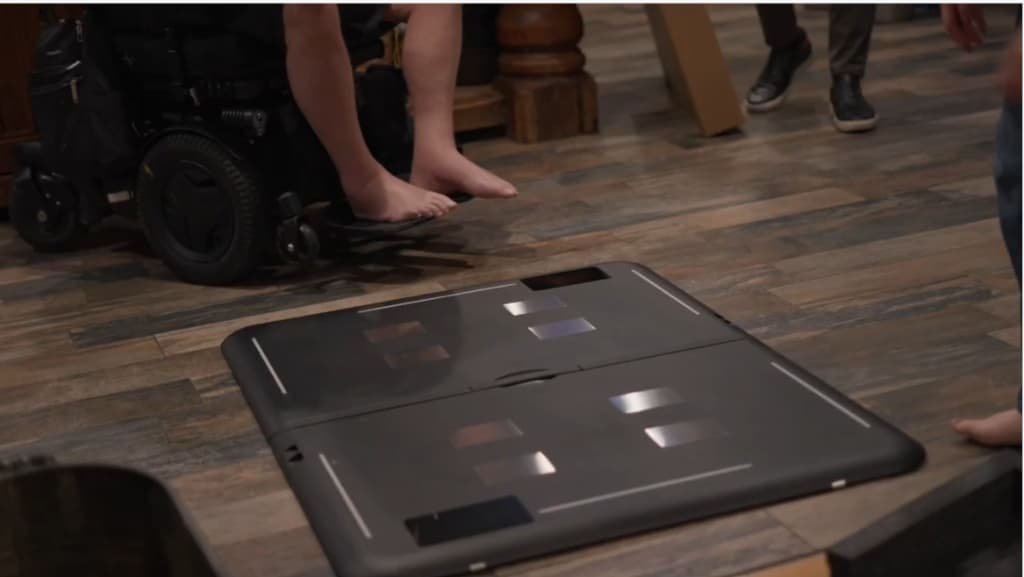
Let it calibrate
Unbox your unit
Fold arrives folded and wrapped, and the box lid carries these same steps. Lift it out and set the packaging aside — you will not need any tools.
Unfold it completely
Place Fold where you want to use it and open it until both sides are fully flat on the floor. Before rolling on, confirm that both panels feel stable.
- Use a hard, level surface.
- Avoid thick carpet or uneven flooring.
- Keep the area around Fold clear, with room to roll on and off.
Let it calibrate
Fold calibrates itself once it is flat on the floor. When it reads zero, it is ready to use.
- If the display shows a number instead of zero, press one of the buttons on the side of the scale while Fold is lying flat and empty. That resets it to zero.
Take your reading
Roll on. Hold still. Read the number.
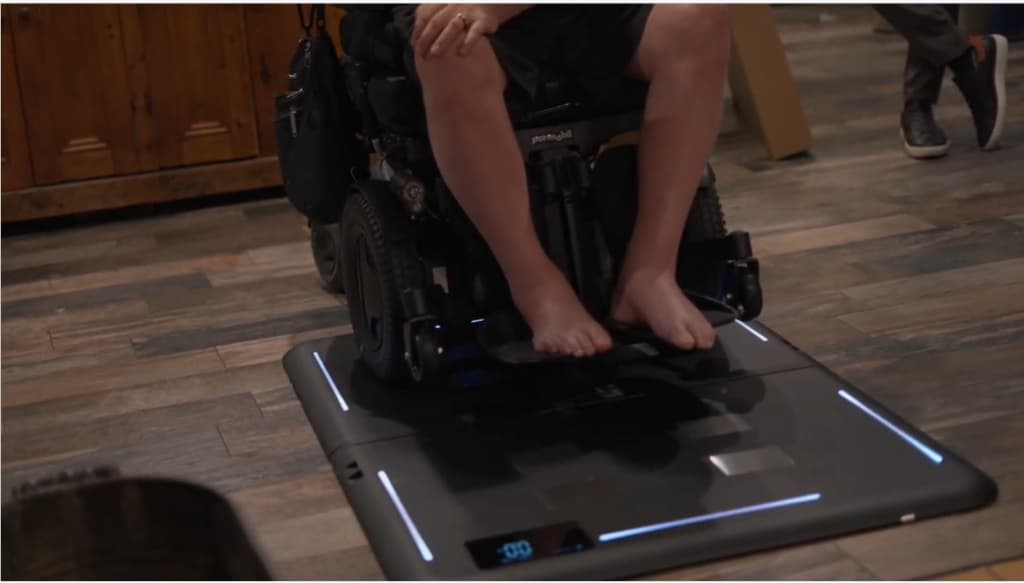
For now, Fold shows your total weight
That number includes you + your wheelchair + anything currently on your chair.
The Fold Health mobile app is still being completed. For now, simply record the total number shown on Fold.
Record
Keep your readings together.
Recording a reading takes one number and a few seconds. While Fold Health is being finished, this is where your readings live.
Getting consistent readings
Consistency matters more than perfection.
Weight information becomes more useful when your routine is reasonably consistent. When practical:
- Use Fold in the same location.
- Use the same wheelchair.
- Keep your usual equipment on the chair.
- Position the chair similarly each time.
- Use a similar time of day.
- Stay as still as comfortably possible while Fold measures.
- Same place
- Same setup
- Roll on
- Record
If a number looks unusual
One unusual number does not require repeated weighing.
If a reading looks different from what you expected:
- Roll completely off Fold.
- Let Fold reset.
- Keep the chair and equipment setup the same.
- Take one confirming reading.
- Record what happened.
Please do not weigh repeatedly
Avoid repeatedly weighing until you get the number you expected. Every reading, including an unusual one, helps us understand how Fold performs.
Your first week with Fold
Keep it simple.
You do not need to spend your day thinking about the scale. The goal is to make checking your weight easy enough to become part of your normal routine.
Roll OnRead ItRecord ItKeep Going
Getting started FAQ
Questions people ask in the first week.
The questions that come up with a Fold in the room and the app not yet finished.
What does the number on Fold mean?
Right now, Fold displays your total weight. This includes you, your wheelchair, and anything currently on your chair. As we complete Fold Health, the app will make it easier to account for your wheelchair and track your readings over time.
Do I need the Fold Health app?
No. You can use Fold now without the mobile app. Roll onto Fold, wait for the number to settle, and record the total weight shown on the display using the Record My Weight form on this page. Fold Health is still being completed and will make this process more automatic in the future.
How often should I weigh?
Start by using Fold in a way that fits naturally into your routine. You usually only need one reading at a time. If a number looks unusual, take one confirming reading under the same conditions.
Why might two readings be different?
Several things can affect a reading, including chair position, movement, equipment on the chair, flooring, clothing, time of day, and normal changes in your body. Try to keep your setup reasonably consistent.
What if I add something to my wheelchair?
Anything added to or removed from your chair changes the total weight shown by Fold. That can include cushions, bags, trays, oxygen equipment and other items. If something changed, add a quick note when recording your weight.
Can Fold be used on carpet?
For best results, use a firm, flat surface. Thick carpet and uneven flooring can make readings less consistent.
What if the number seems wrong?
Roll completely off Fold and allow it to reset. Then take one more reading with the chair and setup unchanged. If the number still seems unusual, record it and let us know what happened.
Do I need to know my wheelchair weight right now?
No. For this early experience, simply record the total weight shown on Fold. We will add easier chair-weight handling as Fold Health becomes available.
Should I make a health decision based on one Fold reading?
No. Fold is designed to help you monitor wellness information and changes over time. If you are concerned about a change in your health, contact your care team.
Looking for specifications, warranty or shipping? Read the full FAQ.
A note from Eric
Thank you for being here.

Video coming soon
A quick thank you from Eric
45–75 seconds
You are one of the first people using Fold outside our own testing.
Fold started with a simple problem: many wheelchair users still do not have an easy way to check their weight as part of everyday life.
We built Fold to change that.
These first units are an important part of getting the product right. Your experience using Fold at home — what works well, what feels harder than it should, and what you notice over time — will help us make Fold better.
Thank you for being part of this with us.
Eric HarrisFounder, Canary MedTech Corp.
Help us improve Fold
Help us build a better Fold.
Your experience at home is the only way we find out how Fold behaves outside our own testing. We want to learn:
- What worked well?
- What felt harder than it should?
- Did Fold give you a reading each time?
- Was anything confusing?
- Did anything about your setup affect the experience?
- Would Fold fit naturally into your routine?
Even if you solved a problem yourself, tell us about it. A workaround today may point us toward something we can improve for the next user.
Need help?
Something does not seem right?
If Fold feels confusing, difficult, or simply does not seem to be working the way you expected, tell us.
Reach us directly